Your familiar WordPress environment is about to undergo major changes.
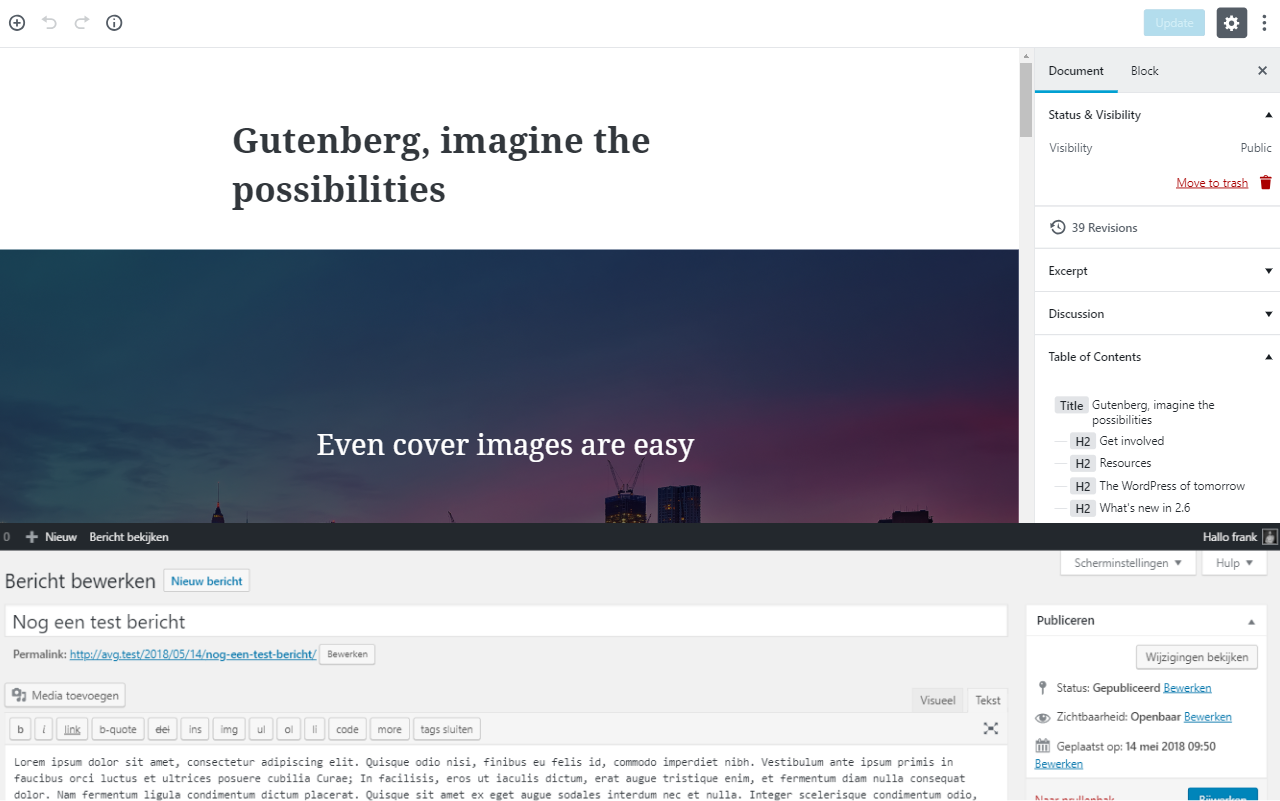
In the next major WordPress update, the current content editor will be retired, making way for the new Gutenberg editor. This article covers everything you need to know about the new WordPress editor and what it means for your website.
Why a new editor?
The current WordPress editor has remained largely unchanged for nearly a decade, aside from a few minor updates. That’s a long time, especially in the fast-evolving world of the internet. Meanwhile, competitors haven’t been idle.
Online platforms like Squarespace and Wix have challenged WordPress by developing beautiful tools and editors that make it easy to create basic websites. As a result, WordPress has seen many users migrate to these alternative platforms in recent years.
To meet the growing demand for a more visual WordPress editor, the community has developed various third-party plugins. Popular ones include Visual Composer and Divi. These plugins modify the standard WordPress editor, offering users an easier way to visually build their sites.
However, not everyone is happy with these plugins. Since there’s no standardized approach, each plugin has its own implementation. This can make sites difficult to upgrade and complicates data exchange between plugins.
To address these issues and meet the demand for a visual editor, the team behind WordPress has introduced an official new editor: Gutenberg.
Meet Gutenberg: the new WordPress editor
Gutenberg editor
Nieuwe Gutenberg editor (tip: je kan de video vergroten)
Want to try out the new editor? You can! It’s available as a plugin on the WordPress website. It’s wise to back up your website before installing the Gutenberg plugin. Even better, install it in a separate development environment—ask your web developer about setting this up.
The easiest way to test the new Gutenberg editor is by visiting the special demo website.
The new interface
De nieuwe interface
Nieuwe styling opties (tip: je kan de video vergroten))
With the new editor, users have much more control over their website’s appearance. Each element can be easily styled.
The biggest improvement is that you can now see exactly how your content will look on your website directly within the editor. No more switching back and forth between the editor and the preview mode.
The level of customization depends on the selected block. You’ll have access to nearly 50 standard content blocks.
Working with content blocks
Content blokken
Ruimte keuze uit content blokken (tip: je kan de video vergroten)
There are standard blocks for text, images, cover photos, videos, and even various social media posts. Additionally, there are advanced blocks for creating things like content grids.
The great thing about the new editor’s setup is the ability to add custom blocks. If you want to showcase testimonials on your website, you can ask your developer to create a custom block for that.
The same goes for something like a photo grid of your team. You’re free to add as many blocks as you like.
What does the new editor mean for your website?
If you want to use the new editor, it’s wise to check whether your website supports it. Are you using a standard theme? Check if an update is available for your theme.
If you have a custom-built theme, your developer will likely need to integrate the new editor into your theme. Ask your developer how much time they’ll need to upgrade your current theme.
Based on a quote, you can decide whether to upgrade your existing theme or opt not to use the new editor. If you’re planning to build a new WordPress website soon, make sure to ask if the future website will support the new Gutenberg editor.
Websites that support the new editor will be more expensive. There are several reasons for this:
Designers will also need to design content blocks. Developers must learn an additional programming language or involve extra colleagues. Both the front and back ends of the website will need to be styled.
All of this takes extra time and will naturally be reflected in the costs. I expect an increase of around 30% to 40% compared to current prices.
The impact on developers and designers
Developers and designers will need to collaborate more closely. Websites will increasingly consist of reusable blocks. Designing just a homepage and blog will no longer be enough.
Clients are increasingly expecting not just a design but a complete underlying design system. In short, this is a system of design elements used to build pages and blocks.
A design system fits well with the new Gutenberg editor. Elements from the design system can be integrated as ‘blocks’ in the editor, giving users more freedom to build pages themselves.
Developers will also need to upskill. Traditionally, WordPress plugins and themes are written in PHP, but with the new editor, developers will also need to be proficient in the React framework.
Both designers and developers will have more work to do to make a website compatible with the new editor. As a result, WordPress websites are expected to become more expensive.
What this means going forward
The Gutenberg editor is a clear improvement for how people edit content in WordPress. It gives developers and designers a shared system to build on.
I expect more functionality to ship as blocks over time. Plugin and theme developers will need a while to catch up, so expect a transition period where it’s not always obvious where to edit things.
If the new editor doesn’t work for you, you can always install the classic editor as a plugin.